OpenRocket Export
Generate .ork and .eng files from your paper rocket designs for simulation in OpenRocket

OpenRocket Free & Open Source
OpenRocket is a free, open-source model rocket simulator for designing, simulating, and optimizing rockets before you build them. It calculates stability (CG/CP), predicts flight trajectories, estimates altitude, and supports custom motor definitions — making it perfect for testing our paper rocket designs virtually.
Originally developed as a Master's thesis project, OpenRocket is now maintained by a worldwide community of rocket enthusiasts. It runs on Windows, Mac, and Linux (Java-based).
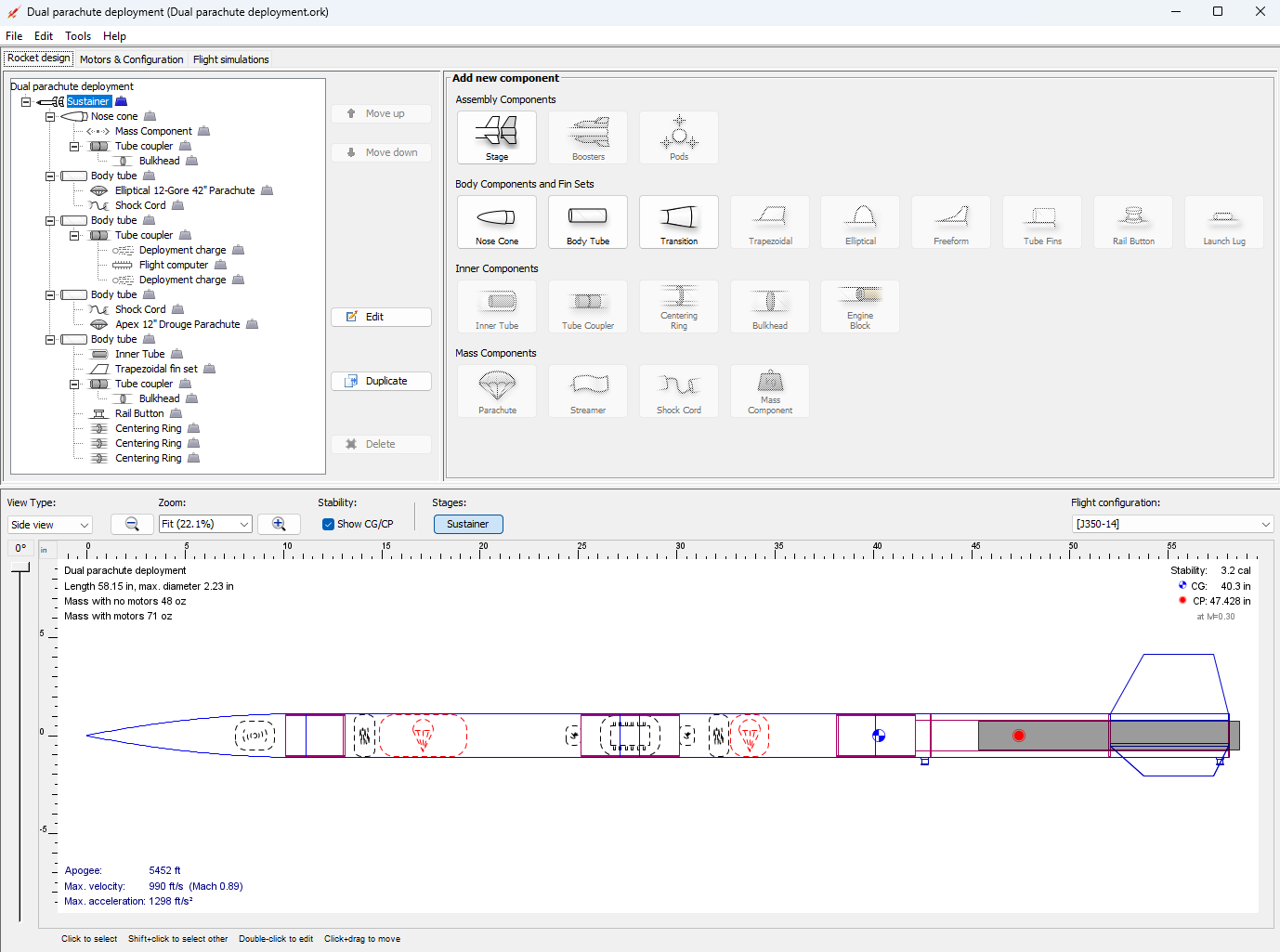
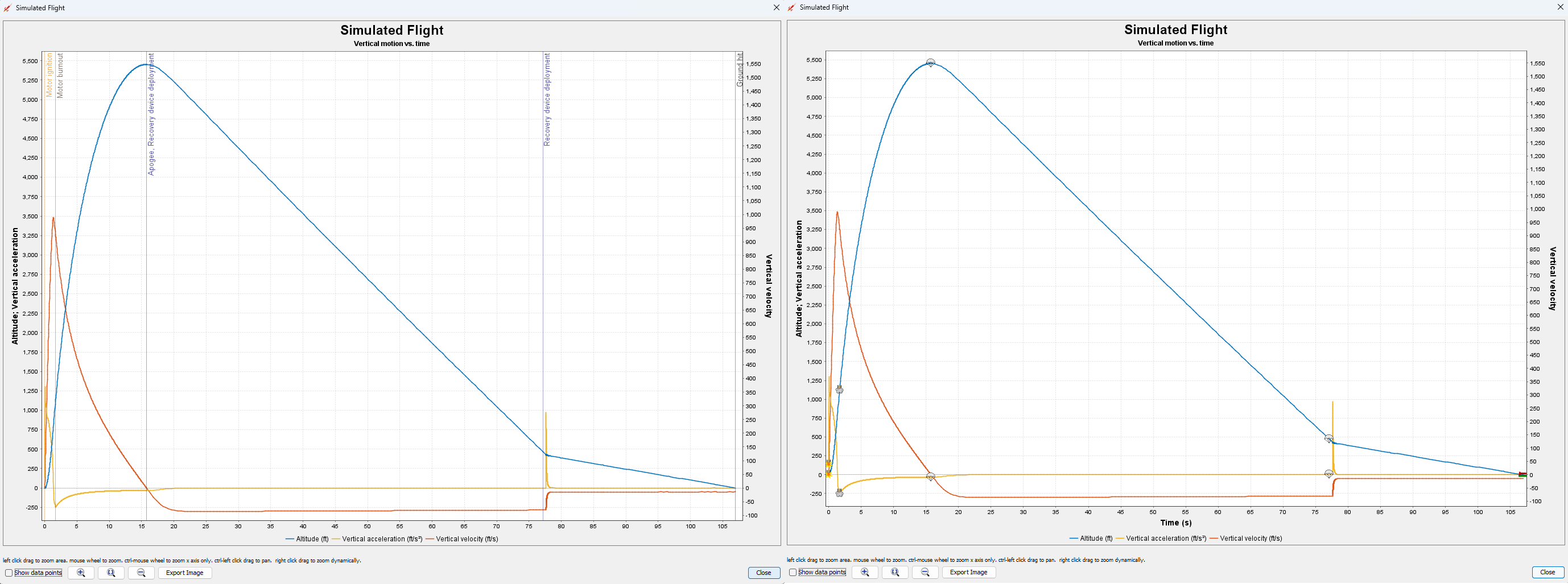
Why OpenRocket for paper rockets? While our pneumatic launchers aren't traditional rockets (no sustained thrust), OpenRocket's stability analysis (Barrowman method), drag modeling, and trajectory simulation still apply. We create custom motor definitions that approximate the short impulse burst of a pneumatic launch, letting you compare designs and predict relative performance.
Rocket Configuration
Body & Nose
Fins & Ballast
Motor Equivalent Calculator
Pneumatic Launch Parameters
Motor Classification
Press "Calculate Motor Equivalent" to generate results.
Thrust Curve Preview
Pneumatic launchers deliver impulse as a short pressure spike (~10-15 ms), unlike solid rocket motors.
The equivalent motor approximates this as a rectangular pulse for OpenRocket compatibility.
OpenRocket Export
Download Files
Test in OpenRocket — What to Expect
- The .ork file defines your rocket geometry (body, nose, fins) and references a custom pneumatic motor.
- OpenRocket will flag the motor as "unknown" until you add the .eng file to its database.
- Simulation results will differ from real-world launches because OpenRocket models rocket motors as continuous thrust, while pneumatic launchers deliver a near-instantaneous impulse (all energy in ~10 ms).
- Altitude estimates should be in the right ballpark (±20-30%), but flight duration and velocity profiles will differ.
- The rocket's aerodynamic stability (CP/CG relationship, fin effectiveness) will be accurately modeled.
- Use the simulation mainly for stability analysis and relative comparisons between designs.
Import Instructions
Loading the .ork File
- Download the .ork file using the button above.
- Open OpenRocket (version 15.03 or later recommended).
- Go to File → Open and select your downloaded .ork file.
- The rocket design will load. You may see a warning about the motor not being found — this is expected.
- Check the design in the side view. Verify body dimensions, fin shape, and nose cone match your paper rocket.
Adding the Custom Motor
- Download the .eng file using the button above.
- Find your OpenRocket thrust curve directory:
Windows: %APPDATA%\OpenRocket\ThrustCurves\Mac/Linux: ~/.openrocket/ThrustCurves/ - Copy the .eng file into that directory. Create the
ThrustCurvesfolder if it does not exist. - Restart OpenRocket (or reload thrust curves via Edit → Preferences → General → Check for updates on thrust curves).
- Open your .ork file again. Go to the motor mount, click Select motor, and search for your pneumatic motor name (e.g., "Pneumatic-60psi-20ci").
- Select it and run the simulation. Review the altitude and stability data.
Expected Simulation Differences
Accurate in OpenRocket
- Center of pressure (CP) location
- Center of gravity (CG) position
- Static stability margin (calibers)
- Fin flutter speed estimates
- Relative performance between designs
- Drag coefficient breakdown
May Differ from Reality
- Absolute altitude (pneumatic vs. burn)
- Velocity profile shape over time
- Exact flight duration
- Launch rod departure speed
- Surface roughness drag (paper is rough)
- Dynamic stability during spin
Pneumatic launchers transfer all energy in a single impulse at launch, while OpenRocket models a sustained burn.
The total impulse is equivalent, so peak altitude should be reasonably close,
but velocity and acceleration profiles will look different.